
- What Is an ATS and Why Does It Matter?
- Step 1: Pick a Simple, Single-Column Layout
- Step 2: Use Standard Section Headings
- Step 3: Choose a Readable Font and File Type
- Step 4: Find the Right Keywords in the Job Post
- Step 5: Write a Targeted Summary
- Step 6: Format Your Work Experience Properly
- Step 7: Build a Skills Section That Works
- Step 8: Handle Education and Extras
- Step 9: Test Your ATS-Friendly Resume Before Sending
- Common Mistakes That Break an ATS-Friendly Resume
- Frequently Asked Questions
- Conclusion
You send your resume to a job you’re perfect for, and nothing happens. No call, no rejection email, just silence. Often, no human ever read it. Software screened it first and your file didn’t make the cut.
The fix is not a fancier design. It’s building an ATS-friendly resume that software can read and a recruiter can skim in seconds. This guide walks you through every step, from choosing a layout to testing your file before you apply.
What Is an ATS and Why Does It Matter?

An applicant tracking system (ATS) is software that employers use to collect, sort, and search applications. When you apply, it extracts the text from your resume and stores it in a database. Recruiters then search that database by keywords, job titles, and skills.
The software rarely “rejects” you on its own. The real problem is simpler: if it can’t read your file properly, your details end up scrambled or missing, and recruiters never find you. An ATS-friendly resume solves that by making your information easy to extract.
Step 1: Pick a Simple, Single-Column Layout
Clean structure is the foundation of an ATS-friendly resume. Multi-column templates, text boxes, tables, and graphics often confuse parsing software, so your skills may appear in the wrong section or vanish entirely.

Stick to these basics:
- One column, top to bottom
- Standard margins of about 2 cm (0.8 to 1 inch)
- Clear spacing between sections
- No photos, icons, or skill-rating bars
A plain resume template built for screening software is a safer starting point than a decorative one.
Step 2: Use Standard Section Headings
Software looks for familiar labels. Creative headings like “My Journey” or “What I Bring” may not be recognized. Use these instead:
- Summary (or Professional Summary)
- Work Experience
- Education
- Skills
- Certifications (if relevant)
Put your name at the top, then contact details: phone, professional email, city and country, and your LinkedIn URL. Keep contact information in the main body, not in the header or footer of the document, because some systems skip those areas.
Step 3: Choose a Readable Font and File Type
Pick a common font like Calibri, Arial, Georgia, or Times New Roman at 10 to 12 points. Headings can be slightly larger, around 14 points.
For file type, follow the job posting. If it doesn’t specify, a Word document (.docx) is the most widely compatible choice, and a text-based PDF is usually fine too. Avoid PDFs made from scanned images, because the software can’t read text in a picture.
Name the file clearly: Amina-Rauf-Marketing-Resume.docx, not “resume-final-new2.”
Step 4: Find the Right Keywords in the Job Post
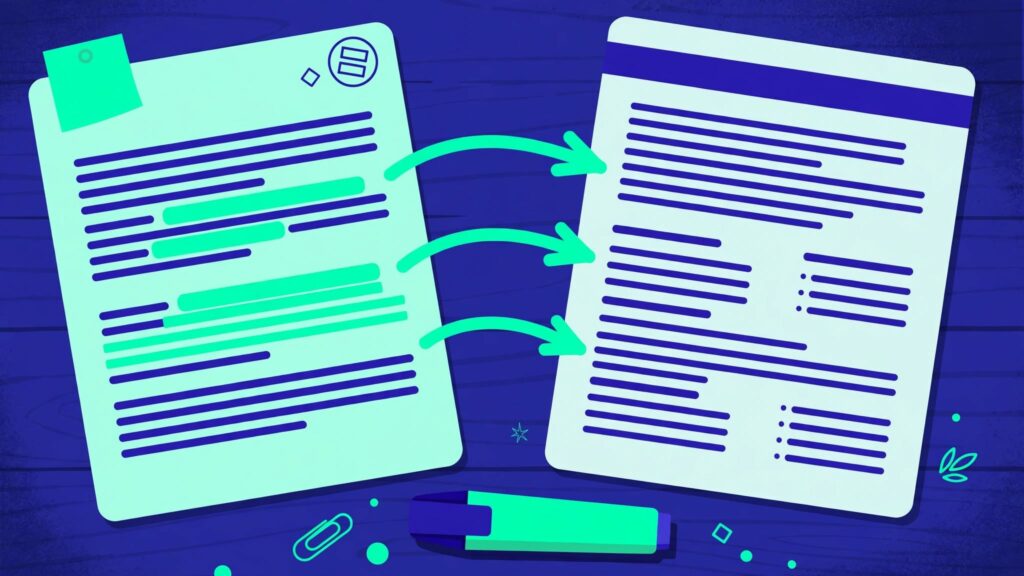
Keywords are how recruiters search the database, so they decide whether your ATS-friendly resume actually surfaces. Here’s a simple process:
- Open the job description and highlight skills, tools, and qualifications that appear more than once.
- Note the exact job title used in the post.
- Check for both full terms and abbreviations, such as “search engine optimization (SEO).”
- Compare your highlights with your resume and list what’s missing.
Browse several current job listings for your target role. Terms that appear across many postings are the ones worth including.
Important: Add only skills you genuinely have. Honest matching beats keyword stuffing every time, because you’ll be asked about everything in the interview.
Step 5: Write a Targeted Summary
Your summary is the best place to use your main keywords naturally. Keep it to two or three lines.
Weak: “Hard-working professional seeking a challenging opportunity.”
Strong: “Customer support specialist with four years of experience in email and live chat support, CRM tools, and ticket resolution. Skilled at reducing response times and handling escalations.”
The strong version names a role, a timeframe, tools, and results, all things a recruiter might search for.
Step 6: Format Your Work Experience Properly

Each job entry should follow the same order so the software can detect it:
- Job title
- Company name, city
- Dates (for example, March 2023 to Present)
- Three to five bullet points
Use standard job titles. If your company called you “Customer Delight Ninja,” write “Customer Support Representative” instead.
Start each bullet with a strong action verb and show a result:
- Resolved an average of 45 support tickets per day while maintaining a 95% satisfaction score.
- Trained six new team members on the ticketing system, cutting onboarding time by one week.
Use only numbers you can back up. Where you don’t have exact figures, describe scope instead, such as “managed a shared inbox for a team of eight.”
Step 7: Build a Skills Section That Works
Create a dedicated skills section and group related items so it’s easy to scan:
- Tools: Excel, Google Workspace, Zendesk, Trello
- Technical skills: Data entry, reporting, SEO basics
- Soft skills: Written communication, time management, problem solving
Spell out acronyms at least once. A recruiter may search “Search Engine Optimization” while another searches “SEO.” Including both covers each version.
Step 8: Handle Education and Extras
List your degree, institution, and graduation year. Fresh graduates can add relevant coursework, projects, or internships under Education.
Optional sections like certifications, languages, or volunteer work are fine, but keep them short and relevant. Skip hobbies unless they relate directly to the job.
Step 9: Test Your ATS-Friendly Resume Before Sending

Before you apply, run these quick checks:
- Copy and paste test: Copy all text from your file into a plain text editor like Notepad. If the order is jumbled or characters are missing, the layout needs simplifying.
- Phone test: Open the file on your phone and confirm nothing shifts.
- Proofread: Read it aloud and check every date, spelling, and link.
- Compare to the post: Make sure your top keywords appear naturally in your summary, skills, and experience.
If you’d rather skip the formatting work, our resume builder creates clean, parser-friendly layouts for you.
Common Mistakes That Break an ATS-Friendly Resume
- Using headers and footers for contact details. Some systems ignore them.
- Putting key information inside images or text boxes. The software can’t read it.
- Sending one resume to every employer. Adjust your summary and top bullets for each role.
- Using unusual symbols as bullets. Stick to simple round bullets.
- Hiding white-text keywords. It’s easy to detect and can get you rejected.
- Skipping a cover letter when one is requested. Follow every instruction in the posting.
Frequently Asked Questions
Is a PDF or Word file better for an ATS-friendly resume?
Follow the job posting first. If it doesn’t say, a .docx file is the safest option, and a text-based PDF usually works as well. Avoid scanned or image-based files.
Can I use a resume template from the internet?
Yes, as long as it’s simple. Choose a single-column template with standard headings and no graphics, tables, or text boxes.
How many keywords should I include?
There’s no magic number. Focus on the skills, tools, and job title that appear repeatedly in the posting, and use each one naturally a few times across your resume.
Do I need a different resume for every job?
You don’t need to rewrite everything. Keep a strong master version, then spend about ten minutes adjusting your summary, skills, and top bullet points to match each posting.
Conclusion
An ATS-friendly resume isn’t about tricking software. It’s about presenting your real experience in a clear structure that both systems and people can read quickly. Keep the layout simple, use standard headings, match the job’s keywords honestly, and test your file before you send it.
Take 30 minutes today to build your ATS-friendly resume using the steps above, then apply to one role that fits your goals. Once you land the call, our interview guides will help you prepare.