
- What AI Can (and Cannot) Do for Your Resume
- 7 AI Resume Writing Tips That Actually Work
- Ready-to-Use Prompts You Can Copy
- Before and After: A Real Example
- Words That Make a Resume Sound AI-Written
- Protect Your Privacy and Your Honesty
- Using AI for Your Cover Letter and LinkedIn Too
- Common Mistakes When Using AI to Write a Resume
- Frequently Asked Questions
- Conclusion
You paste your work history into an AI tool, press enter, and get a polished resume in ten seconds. Tempting, right? The catch is that recruiters read hundreds of resumes, and generic AI text stands out fast. The right AI resume writing tips help you use the tool as an assistant instead of a replacement, so your resume still sounds like you and still passes the first screen.
In this guide, you will learn what AI does well, where it falls short, and a simple process with ready-to-use prompts.
What AI Can (and Cannot) Do for Your Resume

Think of AI as a fast editor, not an expert who knows your career. It helps with:
- Rewriting clumsy sentences so they read clearly
- Suggesting stronger action verbs
- Pulling key skills out of a job description
- Fixing grammar and trimming long bullet points
It cannot do these things for you:
- Know your real achievements and numbers
- Check whether a claim is true
- Capture your personality
- Decide which experience matters most for a specific role
Keep this split in mind and everything else gets easier.
7 AI Resume Writing Tips That Actually Work

1. Start With Your Own Raw Facts
Before opening any tool, write a rough list of what you did in each role: tasks, results, tools, and numbers you can prove. AI works best when you feed it real material. If you give it nothing, it will invent something, and invented details are a risk you do not want.
2. Use the Job Description as Your Guide
Paste a job description into the tool and ask it to list the top skills and keywords the employer wants. Compare that list with your resume and fill the gaps honestly. You can find fresh examples by browsing job listings in your field.
3. Write Specific Prompts
Vague prompts give vague results. Compare these:
- Weak prompt: “Write my resume.”
- Strong prompt: “Rewrite this bullet point to start with an action verb, include the result, and stay under 20 words.”
The more detail you give about role, audience, and length, the better the output. Among all the AI resume writing tips here, better prompts give the fastest improvement.
4. Ask for Options, Not a Final Answer
Request three versions of each bullet or summary, then pick the best parts and combine them. This is one of the simplest AI resume writing tips because you stay in control, and the final text becomes yours instead of the tool’s. Mixing the best lines from several drafts also removes the robotic rhythm that single outputs often have.
5. Rewrite in Your Own Voice
Read every line out loud. If it sounds like something you would never say in a meeting, change it. Replace big, empty words with plain ones. A resume that sounds human is easier to trust, which is why this is one of the AI resume writing tips that matters most.
6. Fact-Check Every Claim
Never keep a line you cannot explain. If the resume says you “optimised workflows,” be ready to describe exactly what you changed. Interviewers dig into details, and our interview guides show how to talk through your results with confidence.
7. Keep the Format ATS-Friendly
Fancy designs can confuse applicant tracking systems. Use a clean single-column layout, standard headings, and a common font. Our resume templates are built for readability, so you can paste your final text in without breaking the structure. If you prefer to start fresh, our resume builder creates a clean version for you.
Ready-to-Use Prompts You Can Copy
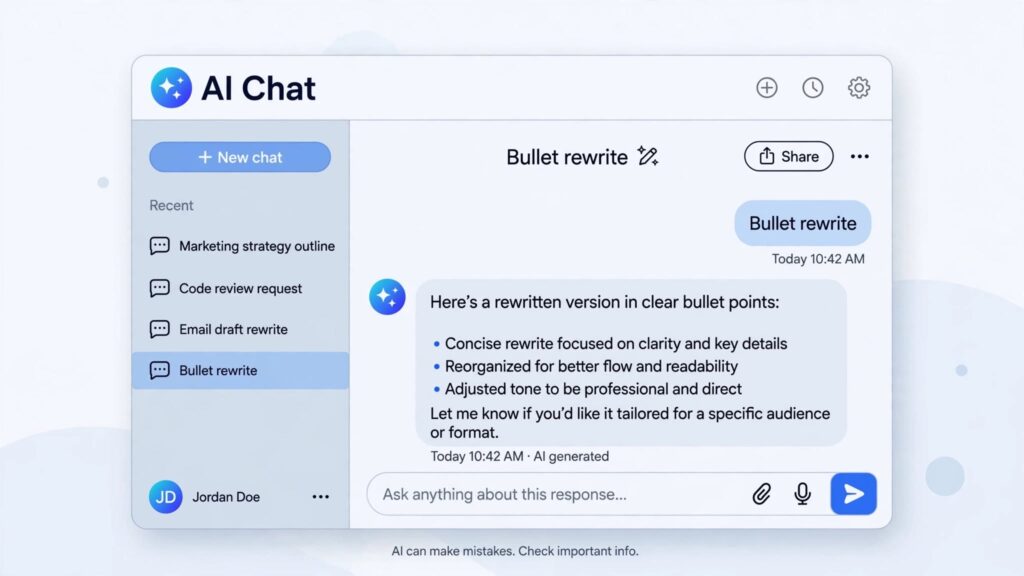
These prompts put the AI resume writing tips above into practice. Replace the brackets with your own details.
Bullet rewrite:
“Rewrite this resume bullet to begin with a strong action verb, include the result, and stay under 20 words: [paste your bullet].”
Professional summary:
“Write three versions of a two-sentence resume summary for a with [number] years of experience in [field]. Use plain language and avoid buzzwords.”
Keyword gap check:
“Here is a job description and my resume. List the important skills in the job description that are missing from my resume. Do not add anything I have not done.”
That last line matters. Always tell the tool not to invent experience.
Before and After: A Real Example
Here is how one of the AI resume writing tips, careful editing, can improve a weak bullet.
- Original: “Responsible for handling customer complaints.”
- Generic AI version: “Leveraged cutting-edge strategies to drive customer satisfaction.”
- Edited version: “Resolved around 20 customer complaints a day, and cut repeat calls by sharing clear fixes in the first reply.”
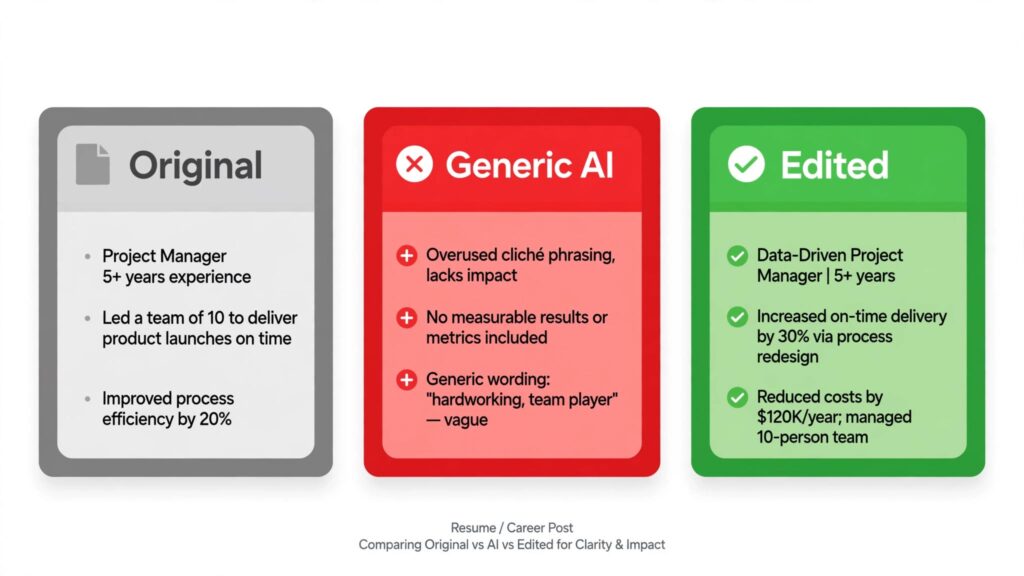
The original is dull. The generic version sounds impressive but says nothing. The edited version names the task, the scale, and the result. Use your own real numbers when you write yours.
Words That Make a Resume Sound AI-Written
Some phrases show up again and again in machine-written text. Use them sparingly, or replace them:
- “Results-driven” or “dynamic” professional
- “Leveraged” and “spearheaded” in every line
- “Proven track record” with no proof
- “Passionate about” with no example
- “Cutting-edge” and “innovative solutions”
Swap them for plain verbs like built, led, fixed, trained, reduced, or improved, and add a detail after each one.
Protect Your Privacy and Your Honesty
One of the most overlooked AI resume-writing tips is protecting your data. Before pasting anything into an AI tool, remove sensitive details such as your home address, ID numbers, and any private information about employers or clients. A tool does not need those details to improve your wording.

Also, never let AI add certificates, job titles, or skills you do not have. Employers check, and a single false line can cost you an offer.
Using AI for Your Cover Letter and LinkedIn Too
The same approach works beyond your resume. For a cover letter, give the tool the job description, two or three of your best achievements, and the tone you want, then edit the draft until it sounds like a real note from you. For LinkedIn, ask for a few headline options based on your target role and choose the one that feels honest. Consistent wording across your resume, cover letter, and profile helps recruiters see one clear story.
Common Mistakes When Using AI to Write a Resume
- Using one resume for every job: Tailor each version to the role.
- Copying the output without reading it: Typos and odd phrases still slip through.
- Stuffing keywords: Use them where they fit naturally.
- Skipping the human check: Ask a friend or mentor to read it before you apply.
- Forgetting the rest of the application: Your cover letter and interview answers should match your resume.
Frequently Asked Questions
Can recruiters tell if a resume was written by AI?
Often they can, especially when the text is generic and full of buzzwords. Specific details, real results, and your own natural wording make a resume believable no matter what tools helped you write it.
Is it okay to use AI to write my resume?
Yes, as a helper. Use it to edit, organise, and brainstorm, but make sure every fact is true and every sentence reflects your own experience.
Are AI resume writing tips different for career changers?
The basics are the same, but career changers should focus the prompts on transferable skills and relevant projects instead of job titles. Our career change guide explains how to frame that story.
Do I need to tell employers I used AI?
You are not required to mention it on a resume. What matters is that the content is accurate and that you can discuss every line in an interview.
Conclusion
AI can save you hours, but it cannot replace your judgement. The best AI resume writing tips come down to this: start with real facts, write specific prompts, edit in your own voice, and check every claim. Do that, and you get speed without losing authenticity.
Take one action today. Open your current resume, pick your weakest bullet, and rewrite it using the prompts above. One strong improvement is a great place to start.